


Quick Answer
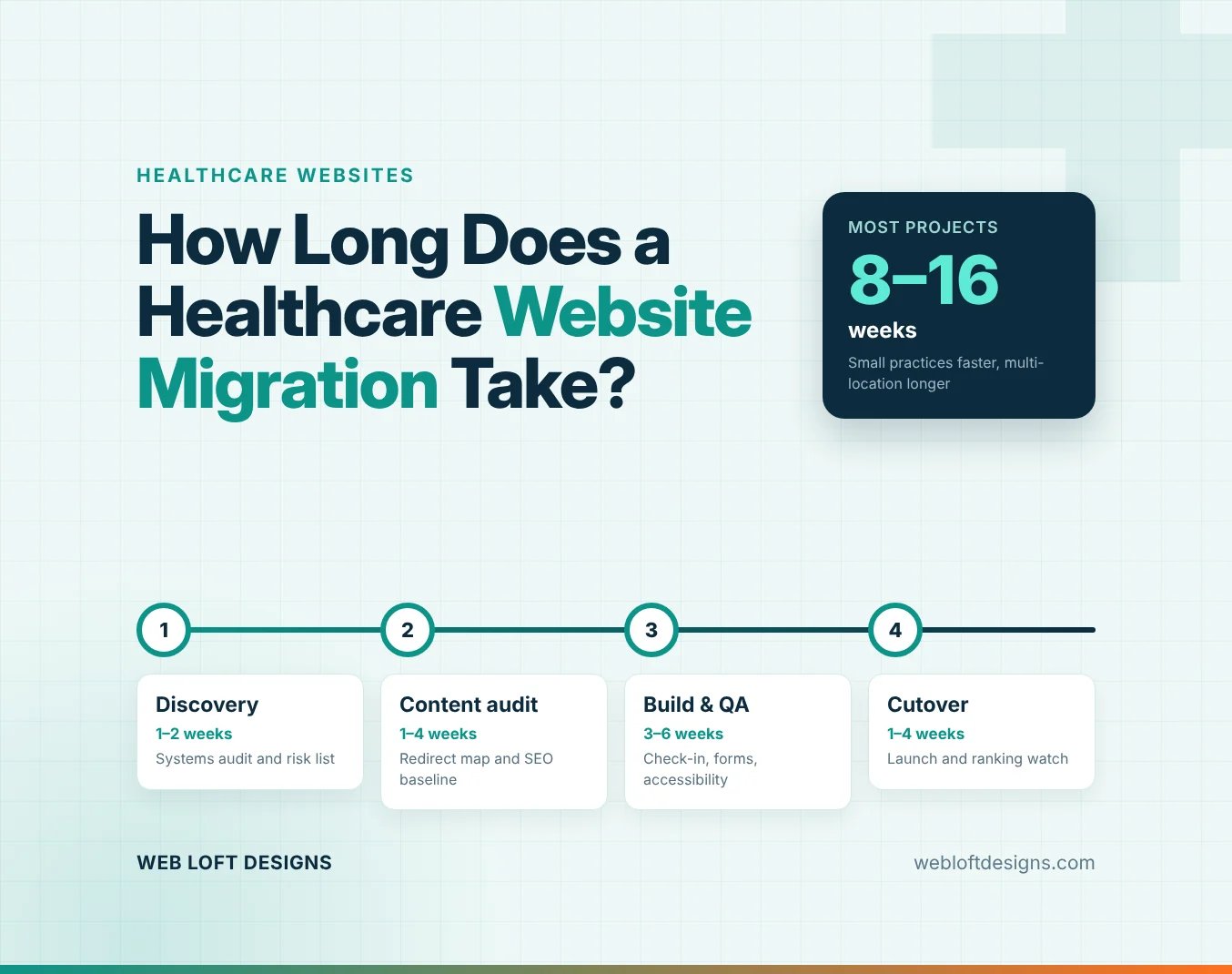
Most healthcare website migrations take 8 to 16 weeks from kickoff to post-launch monitoring. A small practice with few integrations can finish in about 6 to 8 weeks, while a multi-location organization with scheduling, patient portal and provider directory connections often needs 4 to 6 months. The phase that slips most often is the content audit and clinical review, not the build.
- Scope, legacy content and integration depth set the timeline.
- Every migration runs through four phases: discovery, content audit, build and QA, then cutover and monitoring.
- A redirect map built from the sitemap alone misses legacy pages that still earn traffic.
- Patient access comes first: scheduling, check-in and portal links must work on launch day.
Table of Contents
- What Drives a Healthcare Website Migration Timeline
- A Phase-by-Phase Healthcare Website Migration Timeline
- Healthcare Website Migration Checklist
- Healthcare Website SEO Migration: Protecting Rankings
- A Launch Plan That Protects Patient Access
- Patient-Facing Integrations, Accessibility and Compliance
- Plan Your Healthcare Website Migration
- Frequently Asked Questions
What Drives a Healthcare Website Migration Timeline
A healthcare website migration is the move of a provider’s public website, content and patient-facing tools to a new platform or host without breaking appointments, search visibility or privacy obligations. How long it takes is decided before anyone touches a template, by three variables:
- Scope. A 40-page practice site moves faster than a 400-page site with location pages, provider bios and service-line directories. The number of people who must approve content often matters more than the page count.
- Legacy content and systems. Old sites hide redirect chains, duplicate service pages and forms that feed tools nobody documented. Each one adds discovery time.
- Integration depth. Online check-in, scheduling, patient portals and provider search each need their own testing against real workflows.
A real example: when we moved UrgiClinic Immediate Care from Duda to WordPress, the work went beyond rebuilding pages. The new site needed separate pages for its Bridgeview and Lockport locations, insurance information, an FAQ built from the questions patients kept calling about, and online check-in and patient portal links on every page. Each of those items is a line in the timeline.
A Phase-by-Phase Healthcare Website Migration Timeline
Every migration runs through the same four phases. What changes is how long each one takes.
|
Phase |
Core Work |
Small Practice |
Mid-Size or Multi-Location |
|---|---|---|---|
|
1. Discovery and readiness |
Stakeholder interviews, systems audit, risk list |
1 week |
2 weeks |
|
2. Content audit and SEO baseline |
Page inventory, redirect map, analytics snapshot |
1–2 weeks |
3–4 weeks |
|
3. Build, integration and QA |
Templates, content load, integration and accessibility testing |
3–4 weeks |
5–6 weeks |
|
4. Cutover and monitoring |
Launch, redirect checks, form and ranking monitoring |
1–2 weeks |
3–4 weeks |
|
Total |
About 6–8 weeks |
About 13–16 weeks |
Large health systems consolidating several sites, or replacing custom scheduling and portal connections, often need 4 to 6 months. For how scope affects the budget as well as the calendar, see our guide to how much a custom website costs.
Phase 1: Discovery and Readiness Assessment
Discovery decides whether the rest of the schedule holds. Interview the people who run the site, audit the current platform, hosting and integrations, and finish with a written risk list. Unknowns pushed into the build phase turn into delays.
Phase 2: Content Audit, Redirect Map and SEO Baseline
This phase takes longer than most teams expect. Every page has to be kept, rewritten, merged or retired, and on a healthcare site those decisions often need a clinical or compliance reviewer. Build the redirect map and capture the SEO baseline here, along with an inventory of every integration the build will depend on.
Phase 3: Build, Integration and Quality Assurance
Integration depth shows up here. Test online check-in, scheduling, provider search, location pages and every form against real scenarios, then run user acceptance testing with front-desk staff before launch. Accessibility testing, including keyboard navigation, color contrast, form labels and screen-reader behavior, can run in parallel.
Phase 4: Cutover, Monitoring and Post-Launch Support
Cutover is one day, but the phase around it is not. Verify redirects, confirm forms and patient links work, and watch analytics and Search Console daily for the first weeks. Write down launch-day roles in advance: who checks forms, who watches analytics and what triggers a rollback.
Watch out: Teams often assume the build is the long pole. In practice, an incomplete content audit or a late clinical review pushes everything after it.
Healthcare Website Migration Checklist
Use this checklist before you approve a build:
- Inventory every page and assign an owner.
- Document every form and where its submissions go.
- Export analytics and Search Console baselines.
- Map every old URL to a new one.
- List every integration: check-in, scheduling, patient portal, provider directory.
- Confirm who approves clinical and service content.
- Review forms and patient data flows with whoever owns HIPAA compliance.
- Set a rollback plan and name a launch-day owner.
- Train staff before cutover.
For a broader pre-launch framework, our website redesign checklist for growing businesses covers audits, ranking protection and post-launch measurement.
Healthcare Website SEO Migration: Protecting Rankings
An SEO migration carries your search rankings across the platform change instead of rebuilding them from zero. For a healthcare practice, those rankings are how new patients find you for searches like “urgent care near me.” Follow this sequence:
- Full URL inventory before anything moves. Capture every live URL from a crawl, analytics and Search Console, including pages nobody links to internally.
- One-to-one redirect mapping. Send every old URL to the single new page that serves the same intent. A retired service page should redirect to the closest service page, not the homepage.
- Metadata and heading parity. Carry over page titles, meta descriptions, H1s and internal link anchors, especially on service, provider and location pages.
- Structured data continuity. Keep medical organization, physician, location, hours and FAQ markup in place on the new templates.
- Analytics continuity. Confirm the new site fires the same key events for appointment requests, check-in clicks, calls and forms. If forms feed a CRM, test that path too. See how to integrate CRM with website forms.
- Sitemap and Search Console updates. Publish the new XML sitemap, check robots.txt and submit the sitemap on launch day.
- Post-launch monitoring. Rankings can move for a few weeks after cutover. Redirect chains, service pages sent to the homepage and provider pages returning 404s are not normal and need fixing right away.
Watch out: a redirect map built from the sitemap alone misses legacy pages, old PDFs and campaign URLs that still earn traffic and links.
For a migration that combined several domains into one site, see how we sequenced the redirect and consolidation work for Consolidated Water.
A Launch Plan That Protects Patient Access
A healthcare launch plan protects one thing: patients finding and reaching care. That means no dead check-in or scheduling links, no broken provider search and no downtime during clinic hours.
- Schedule cutover for a low-traffic window, outside clinic hours.
- Keep the old environment available as a fallback until DNS and redirects are confirmed.
- Test the patient path on a phone right after launch: find a location, check in, call, submit a form.
- Agree on a rollback trigger in advance, such as a broken appointment form or a failed portal link.
Patient-Facing Integrations, Accessibility and Compliance
Patient-facing tools deserve their own review before launch. Test check-in, scheduling, portals, location finders and insurance pages the way a patient would use them: on a phone, on a slow connection, with a real request.
Accessibility review runs alongside it. Check contrast, keyboard navigation, form labels and readability against WCAG 2.1 AA, and confirm the site’s privacy notices, cookie consent and form handling match what the organization has committed to. Mobile matters most here: the UrgiClinic site added click-to-call buttons and a sticky mobile menu with one-tap access to “Check In Now,” so patients on a phone can act without hunting.
Plan Your Healthcare Website Migration
The timeline question usually hides a bigger one: can the site move without breaking what already works? Web Loft Designs has built websites since 2003, and our healthcare work includes urgent care, rehabilitation, post-acute care, telehealth, therapy and medical weight loss practices.
A good migration also sets up growth after launch. After launching a new site and SEO and PPC campaign for Paragon Health Partners, a physical medicine and rehabilitation practice in Paris, Texas, the practice saw a 173% increase in traffic over 45 days. When the organization needed a separate presence for its post-acute services, we built a dedicated site for Paragon Post-Acute Care.
Planning a move? Talk to our team about your healthcare website and get a realistic, phased schedule.
Frequently Asked Questions
How long does a healthcare website migration take?
Most take 8 to 16 weeks from kickoff to post-launch monitoring. A small practice with few integrations can finish in about 6 to 8 weeks, while a multi-location organization with custom scheduling and portal connections often needs 4 to 6 months. The availability of content owners and clinical reviewers moves the date more than the build does.
What should be on a healthcare website migration checklist?
A full page inventory with owners, a redirect map for every old URL, a list of integrations such as check-in, scheduling and patient portals, a review of forms and patient data flows with your compliance owner, an accessibility check against WCAG 2.1 AA, analytics and Search Console baselines, and a rollback plan with a named decision-maker.
How do you migrate a healthcare website without losing rankings?
Capture a full URL and keyword baseline, build a one-to-one redirect map for every indexed page, keep titles, provider bios, service and location pages close to the original in the first release, and submit the new sitemap on launch day. Then monitor Search Console closely for at least two to three months.
How can a practice avoid downtime during a website migration?
Test the new site fully on staging, cut over outside clinic hours, keep the old site available as a fallback until DNS and redirects are confirmed, and agree in advance on what triggers a rollback, such as a broken appointment form or patient portal link.