Key takeaways
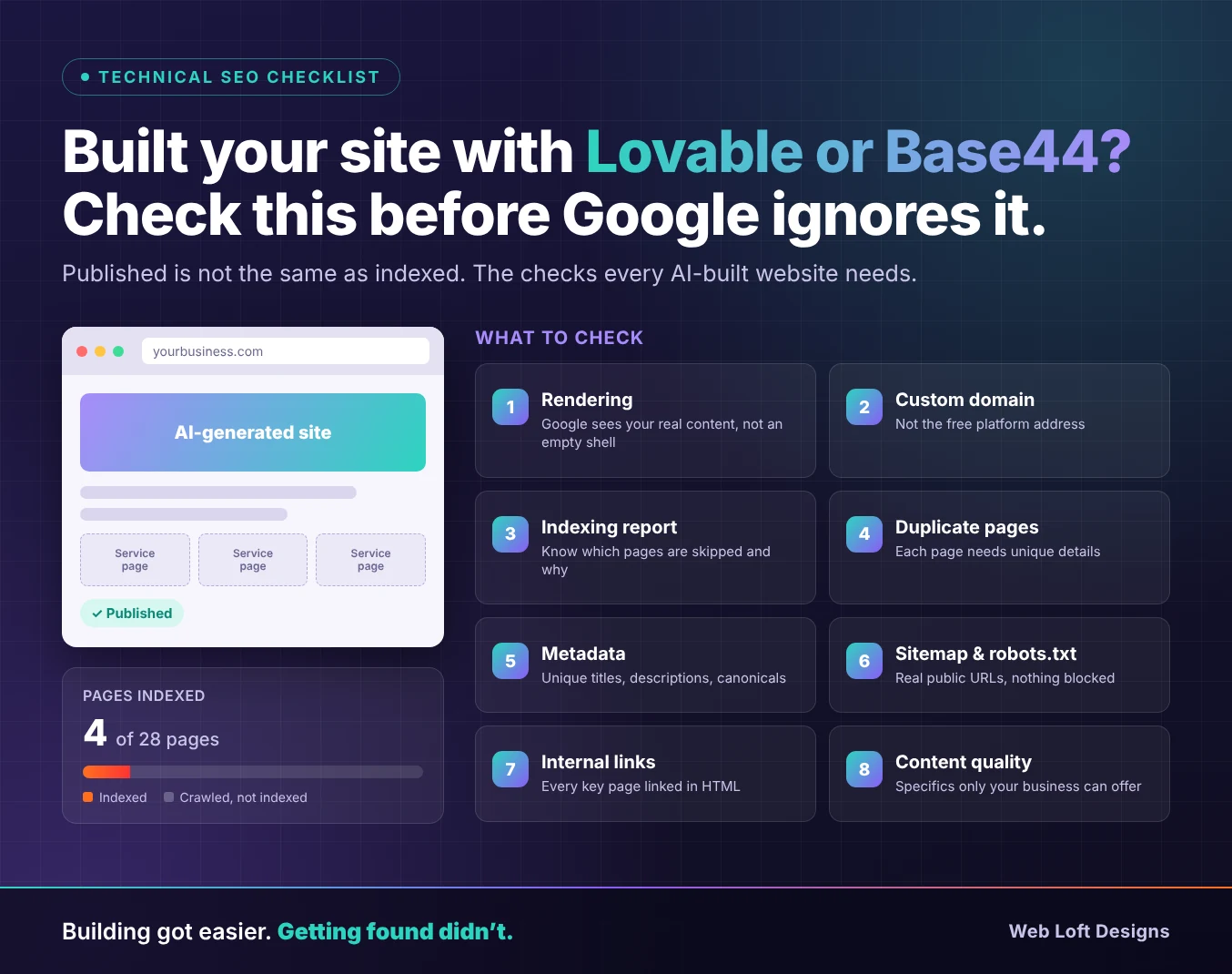
- AI website builders like Lovable and Base44 can launch a site in days, but a published site is not the same as an indexed one.
- Start by confirming Google can see your content. Rendering depends on the platform and on when your project was created, so check it rather than assume.
- Make sure your custom domain is the version being indexed, not the free platform address the site started on.
- Bulk-generated service and location pages are the most common reason AI-built sites end up with pages Google won’t index.
- Titles, meta descriptions, canonical tags, the sitemap and internal links still need a human review, even when the platform offers SEO features.
You described your business, the AI builder produced a polished website, and you published it the same week. A month later, you search for your services and can’t find yourself. Search Console shows a handful of indexed pages, or none at all.
This is one of the most common situations we see with sites built on Lovable, Base44 and similar tools. The platforms aren’t the problem. Google doesn’t penalize a website because AI helped build it. The problem is that building a site has become fast, while the work that gets it found (rendering checks, indexing, unique content, site structure) still has to be done by someone.
This checklist walks through what to check, in order, before Google decides your pages aren’t worth showing.
Before you start: connect Google Search Console
Almost every check below relies on Google Search Console. If you haven’t set it up, add your custom domain as a property, verify ownership, and submit your sitemap. Lovable’s built-in SEO review can guide you through connecting Search Console, and Base44 recommends verifying through your custom domain. Give Google a few days to report data before drawing conclusions.
1. Confirm Google can actually see your content
Most AI builders generate JavaScript apps. In a purely client-side setup, the server sends a nearly empty HTML page and the visitor’s browser builds the content. Google can render JavaScript, but it adds a step that can delay indexing, and many AI search crawlers don’t run JavaScript at all.
How your site is served depends on the platform and when the project was created:
- Lovable: According to Lovable’s documentation, new projects created from May 13, 2026 use server-side rendering, except on Enterprise plans. Older projects run as single-page apps and serve pre-rendered pages to verified crawlers. They can be upgraded to the server-rendered setup.
- Base44: Base44’s documentation says apps are rendered in the browser for visitors, while the platform serves crawlers a server-rendered version with meta tags, structured data and an HTML snapshot of the page.
How to check: In Search Console, run your key pages through the URL Inspection tool, then use “Test live URL” and view the tested page. Look at the HTML and the screenshot. Your headings, body text and navigation links should all be there. If you see an empty container or a loading screen, Google isn’t seeing what your visitors see.
One caution: when a site serves pre-rendered pages only to verified crawlers, many third-party SEO scanners see the empty app instead. Use Google’s own tools to judge what Google sees, rather than relying on an outside crawler report alone.
2. Make sure the right domain is being indexed
AI builders give every project a free platform address before you connect your own domain. Lovable states that its branded workspace URLs are never indexable, and Base44 says its free URLs aren’t meant for long-term SEO. If you want to rank, your site needs to live on your own domain.
How to check:
- Confirm your custom domain is connected and set as the primary domain.
- Search Google for
site:yourdomain.comand see which pages appear. - Check that the old platform address redirects to your domain or is no longer reachable, so Google doesn’t split attention between two copies of the same site.
- If you changed domains after launch, add the new domain to Search Console and resubmit the sitemap there.
3. Read the Page indexing report
Open Indexing → Pages in Search Console. The report shows which of your URLs are indexed and, for the rest, why not. The statuses that matter most on AI-built sites are:
- Crawled – currently not indexed: Google saw the page and decided not to index it. This is usually a content or duplication issue. Our guide to crawled – currently not indexed covers the fixes in detail.
- Discovered – currently not indexed: Google knows the URL exists but hasn’t crawled it yet. This often points to weak internal linking.
- Duplicate without user-selected canonical: Google treats the page as a copy of another one and chose a different version to index.
Export the list and group it by page type. If most non-indexed pages are, for example, location pages, the shared template is likely the cause, not each page on its own.
4. Look for pages that say the same thing
This is where AI-built sites run into trouble most often. Asking a builder for 25 service pages or 30 city pages takes minutes. If those pages share the same structure and generic copy with only a service or city name swapped, Google is likely to index a few and skip the rest. Google’s spam policies also warn against producing large numbers of pages that offer little value.
How to check: Open three or four pages of the same type side by side. If you could swap the city or service name and nothing else would need to change, the pages are too similar.
How to fix it:
- Give each page details that only apply to it: specific services, local projects, pricing factors, team members, photos and answers to questions customers in that area actually ask.
- Merge pages that don’t have enough unique material into one stronger page, and redirect the others.
- Don’t generate new pages until you know what each one will offer that the others don’t.
5. Review titles, meta descriptions and canonical tags
Having SEO features available isn’t the same as having them set up correctly. On AI-built sites, it’s common to find the same title on every page, missing meta descriptions, or canonical tags pointing to the wrong URL. Base44, for example, notes that it doesn’t set a custom meta description for each page by default.
How to check:
- Every important page should have a unique title that describes that page, not just the business name.
- Each page should have its own meta description that summarizes what the page offers.
- Each page’s canonical tag should point to its own preferred URL on your custom domain.
- Check these values in the HTML Google sees through URL Inspection, not only in the builder’s settings panel. On browser-rendered sites, tags set by JavaScript may not appear in the version crawlers receive.
6. Verify your sitemap and robots.txt
Your XML sitemap tells Google which pages you want indexed. Your robots.txt file tells crawlers what they may access. Both are often generated automatically, and both are worth checking by hand.
Sitemap:
- Open
yourdomain.com/sitemap.xmland confirm it lists your real, public pages on your custom domain. - Remove placeholder routes, test pages and pages you’ve deleted.
- Publish your latest changes before submitting, since Google reads the sitemap from your live site.
- Submit it in Search Console and check that it shows as successfully read.
robots.txt:
- Open
yourdomain.com/robots.txtand make sure it doesn’t block your whole site or the script and style files Google needs to render your pages. - Confirm no important page carries a
noindextag left over from development.
7. Build real internal links
AI builders create pages on request, not as part of a planned site structure. The result is often pages that exist but aren’t linked from anywhere except the sitemap. Google uses links to discover pages and to judge how important they are, and it says every page you care about should be linked from at least one other page on your site.
How to check:
- Every important page should be reachable from your navigation, footer or a related page within a few clicks of the homepage.
- Links should be standard HTML links with an
href, not buttons or click handlers that only work with JavaScript. Google explains this in its guidance on crawlable links. - Service pages should link to related services, locations and case studies, and blog posts should link to the services they support.
Our guides to internal linking for SEO and designing a website for SEO go deeper on planning this structure.
8. Make every page worth indexing
Once Google can see your pages, it still has to decide they deserve a place in its index. AI-generated copy tends to be clear but generic: it describes what a business could offer, not what this business actually does. That makes it easy for Google to pass over.
Strengthen your key pages with what only you can provide:
- Real project examples, photos and results
- Specific services, processes, timelines and pricing factors
- Credentials, experience and the people behind the work
- Answers to the questions your customers ask before they call
Google’s guidance on creating helpful, reliable, people-first content is a useful benchmark for reviewing each page.
9. Don’t forget AI search
More customers now find businesses through AI-generated answers as well as traditional search results. The same fundamentals apply there: content that appears in the initial HTML, clear headings, structured data and specific, well-organized information. Some platforms also offer extras for AI crawlers. Base44, for instance, lets you generate an llms.txt file from its SEO settings. Treat these as additions to the checks above, not replacements for them.
The checklist at a glance
| Check | Where to look | What good looks like |
|---|---|---|
| Rendering | URL Inspection → Test live URL | Headings, text and links appear in the HTML |
| Domain | Platform domain settings, site: search | Only your custom domain is indexed |
| Indexing | Indexing → Pages | Important pages indexed; exclusions are intentional |
| Duplicate pages | Side-by-side page review | Each page has details unique to it |
| Metadata | Page source and URL Inspection | Unique titles, descriptions and correct canonicals |
| Sitemap and robots.txt | /sitemap.xml, /robots.txt, Sitemaps report | Real public URLs only; nothing important blocked |
| Internal links | Navigation, footer, page content | Every key page linked with standard HTML links |
| Content | Key service and location pages | Specific examples, details and answers |
Get a free Technical SEO Audit for your AI-built site
If your Lovable or Base44 site is live but not showing up in search, you don’t need to rebuild it. Our free Technical SEO Audit shows what Google sees on your site, which pages it’s skipping and why, and what to fix first, whether that’s rendering, duplicate pages, metadata or site structure. Building the site was the fast part. We can help with the part that gets it found.
Frequently asked questions
Are Lovable and Base44 websites bad for SEO?
No. Google doesn’t penalize sites for the platform they were built on, and both platforms provide SEO features. Problems usually come from how the site was set up and published: near-identical pages, missing metadata, the wrong domain being indexed, or content Google can’t see in the initial HTML.
Why isn’t Google indexing my Lovable site?
The most common causes are a site that is still on the free platform address instead of a custom domain, a sitemap that hasn’t been submitted, pages Google sees as duplicates, and older projects where content depends on JavaScript. Run your pages through the URL Inspection tool and check the Page indexing report to find which applies.
Does Google render JavaScript on AI-built websites?
Yes, Google can render JavaScript, but it is an extra processing step that can delay indexing. Many AI search crawlers don’t run JavaScript, so content that only appears after scripts load may not reach AI-generated answers. Server-side rendering or pre-rendering avoids this.
Do I need to rebuild my site to fix indexing problems?
Usually not. Most issues can be fixed on the existing site by connecting the right domain, correcting metadata and the sitemap, adding internal links and rewriting duplicate pages. A rebuild is worth considering only when the site’s setup prevents Google from seeing its content and the platform offers no way to change that.
How long does it take for pages to be indexed after fixing these issues?
It varies. Pages that were meaningfully improved and then submitted through URL Inspection are often indexed within days, while new domains with little history can take longer. Check individual pages with URL Inspection, since the Page indexing report updates with a delay.